Car Rental Accounting: Income, Expenses and Deposits
Payments, deposits and expenses attached to cars and bookings. Fleet and per-car profit, customer debts and deposits due — without a separate spreadsheet.
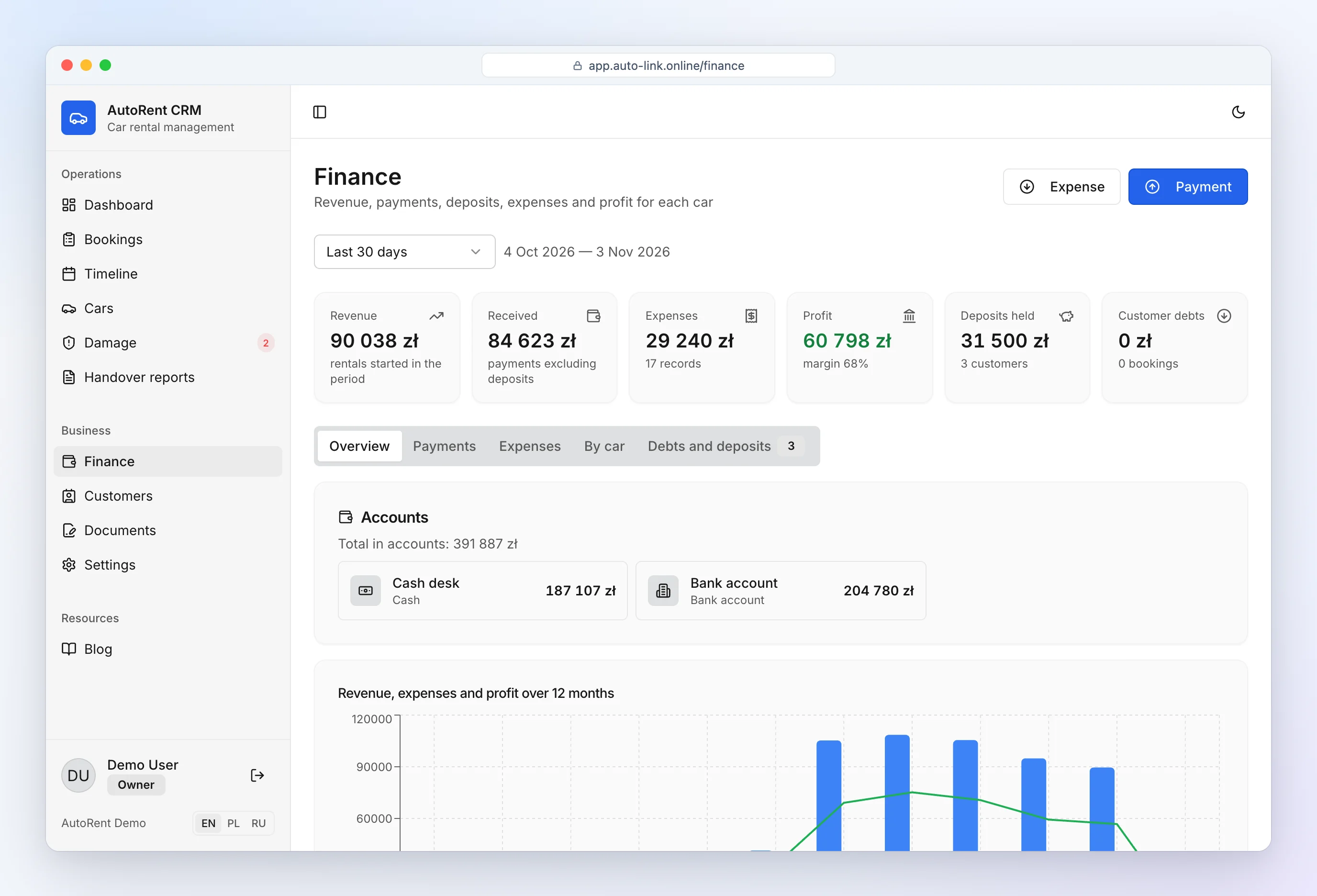
Most small rental businesses know how much money came in this month. Fewer know how much each car earned, how many deposits are sitting in the drawer and who still owes for damage. AutoRent CRM calculates all of it from the bookings, payments and expenses you enter anyway.
Income per car
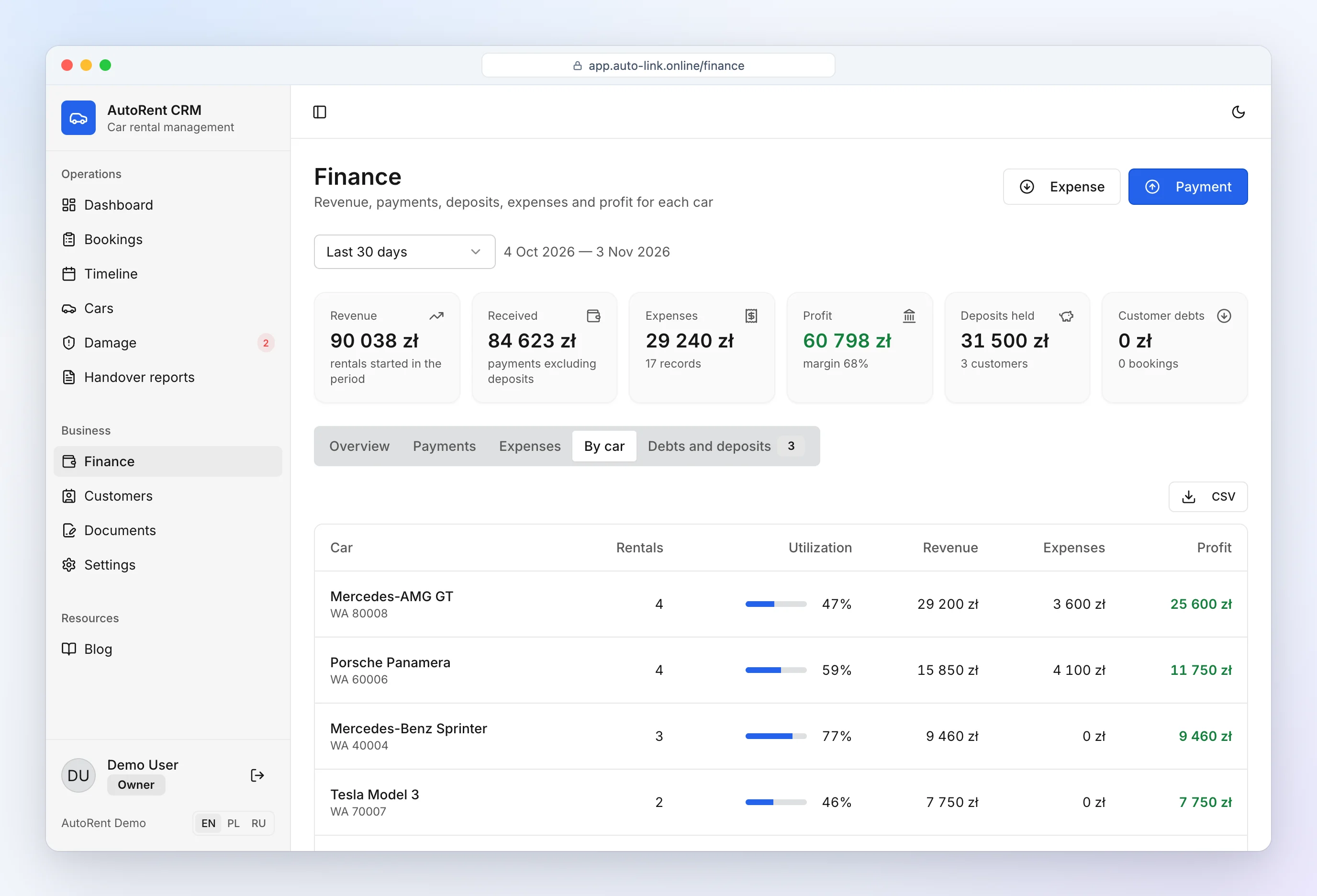
Every payment belongs to a booking: rent, excess mileage, fuel, damage, fines. Excess mileage and missing fuel are calculated automatically at return. Car rental income tracking gives you income, expenses, profit and utilization per car for any period.
You see which car works for the business and which one only sits and costs money — and when it's time to sell it.
Costs: service, fuel, insurance
Record expenses by category (service, repair, tyres, insurance, leasing, washing, fuel, marketing, salaries) and optionally by car. That is your rental fleet profitability, month by month.
Damage repairs are expenses too: when you close a repair you enter the actual amount and the account it was paid from, and the expense is booked to the car automatically. An insurance payout that arrives later is recorded as income for the same car. More on the damage documentation page.
Accounts: cash desk, bank, card terminal
Every payment goes into a specific account and every expense is paid from one: cash desk, bank account, card terminal — add your own, e.g. a second bank. The CRM shows each account's balance: money in, minus deposit refunds, minus expenses. At the end of the day you know how much cash should be in the drawer.
Deposits and refunds
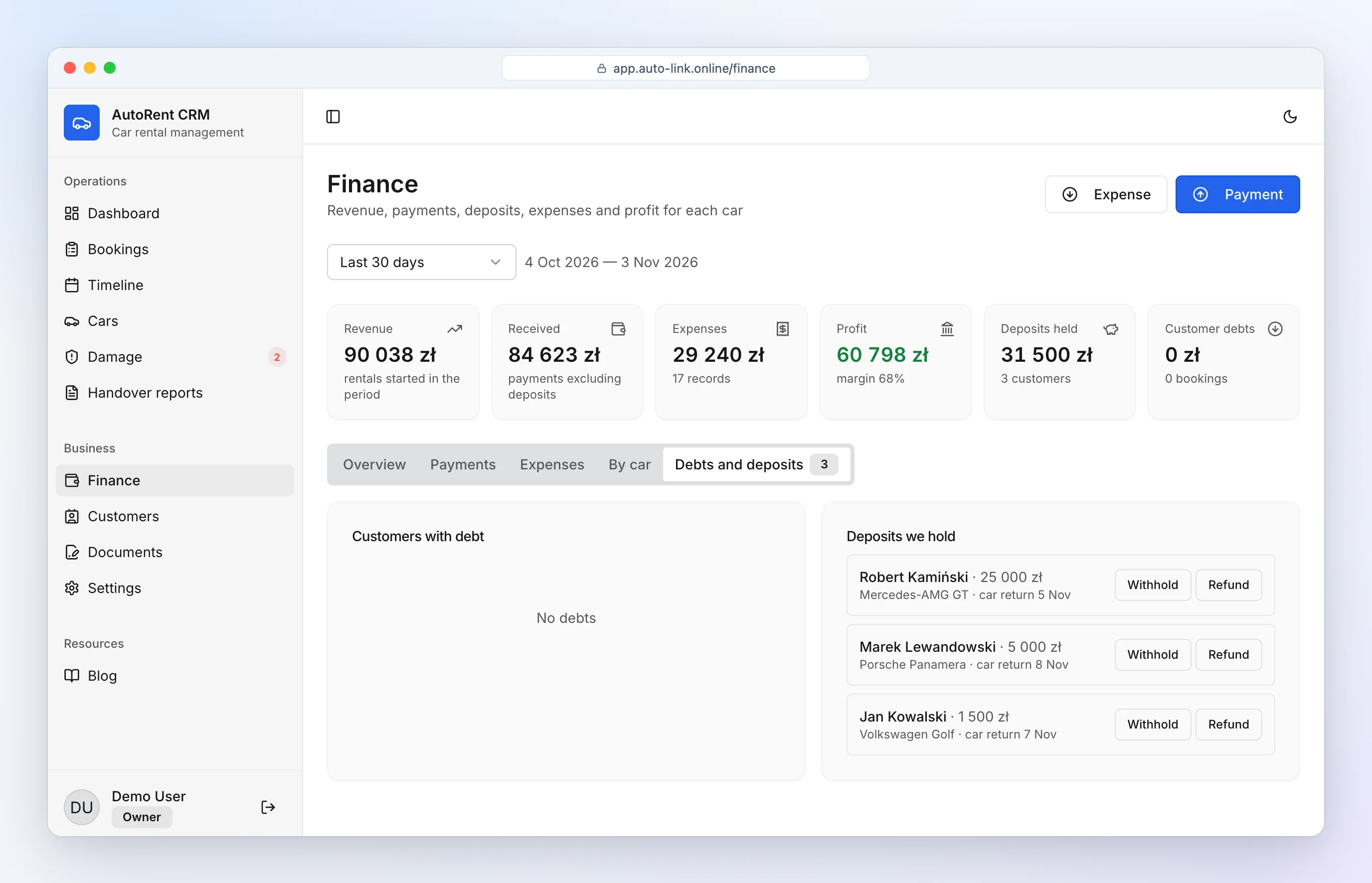
Deposits received, refunded and withheld. The CRM lists whose deposits you hold and which are due back after completed rentals. Withholding (e.g. for damage) becomes income; refunds can never exceed what was received. A higher cross-border deposit can be set per car.
How much to charge and when you may keep it: car rental deposit.
Customer debts
If a customer paid less than the booking total with extras, the booking appears on the debt list. Unpaid damage charges are also visible in the damage log. Payment notes are written for you — car with plate number, customer and what it was for — so six months later you still know what a payment was about.
Reports
- Income, expenses, profit and margin for any period.
- 12-month chart, income by account and expense breakdown.
- Profit and utilization of every car.
- CSV export of payments and expenses for your accountant.
Amounts are kept in your currency — euro, pound, dollar, złoty and others. It doesn't replace accounting, but it gives your accountant clean data. Manage cars in car rental fleet management software.
Overview: car rental software.
Frequently asked questions
Can I export reports for my accountant?
Yes — export payments and expenses for any period to CSV and open them in Excel.
Can I keep several cash desks and bank accounts?
Yes. A cash desk and a bank account are created by default; add more (card terminal, second bank) in settings. Every payment and expense belongs to an account, and each account shows its balance.
Does it replace accounting software?
No. AutoRent CRM organizes rental income, expenses and deposits, but it doesn't keep books or file taxes. The CSV export makes your accountant's job faster.
How do I handle deposits?
Mark each deposit as received, refunded or withheld (fully or partly). The CRM shows whose deposits you hold and which are due back.
Can I see profit per car?
Yes — income, expenses, profit, margin and utilization for each car for any period.