Automatic Car Rental Agreements and Inspection Reports
Rental agreements, pickup and return reports, invoices and deposit receipts are created from booking data — no re-typing. Print or save as PDF in one click.
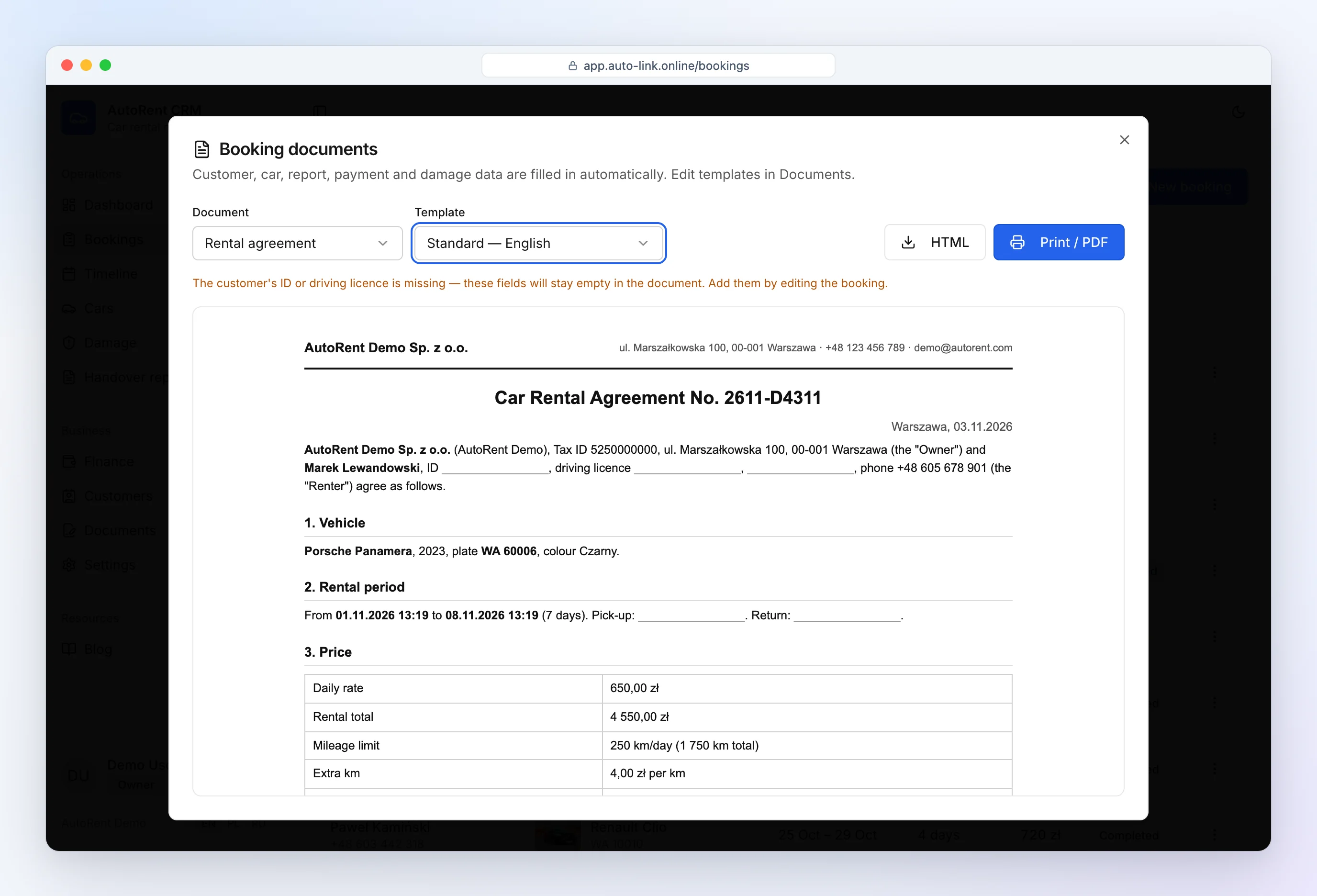
Agreement in 1 click
The booking already holds everything: customer (ID, licence, address), car (make, plate, VIN), dates, rate, mileage allowance, deposit and your company details. AutoRent CRM puts them into the template — a digital car rental agreement ready to print or save as PDF, from a computer or a phone at the car.
- Rental agreement, pickup and return reports, invoice, deposit receipt.
- Languages: English (for tourists), Polish, Russian.
Pick-up and return inspection with photos
At pickup and return your staff enter the odometer and fuel level, take photos with the phone camera and mark any new damage on the car diagram. At return the CRM calculates excess mileage and missing fuel automatically. It works as a rental car inspection app — and the report always stays with the booking.
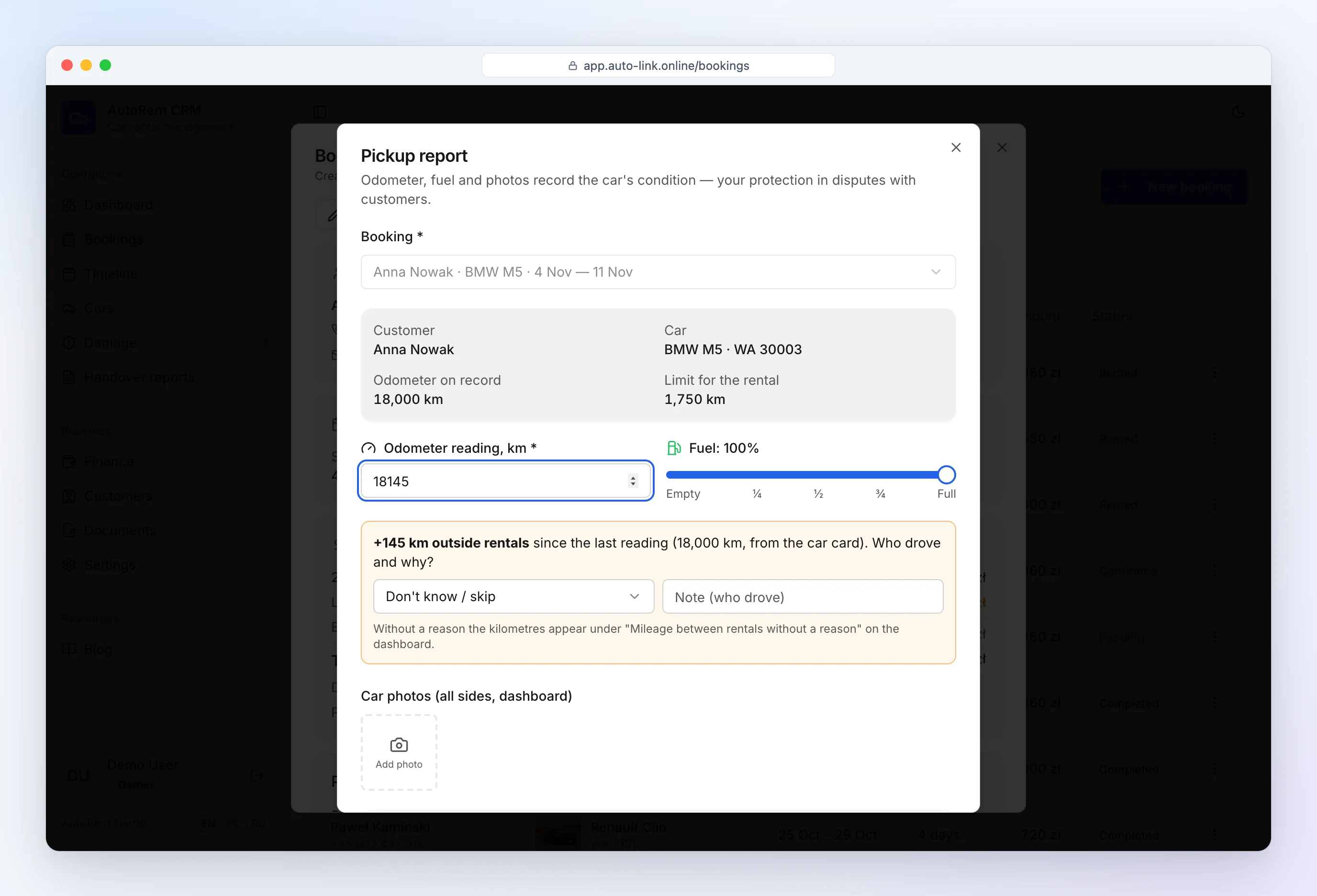
How to inspect a car step by step: rental car inspection checklist.
Sign on phone or tablet
Today you print the agreement and the customer signs on paper, or you send a PDF for signature. An e-signature car rental agreement flow directly on a phone or tablet is in preparation — it is on our short list, but we don't promise a date.
Your own templates
Built-in templates are a good start, but every rental business has its own terms. In the template editor you change the text and insert fields — car details, amounts, dates — that are filled in for every booking.
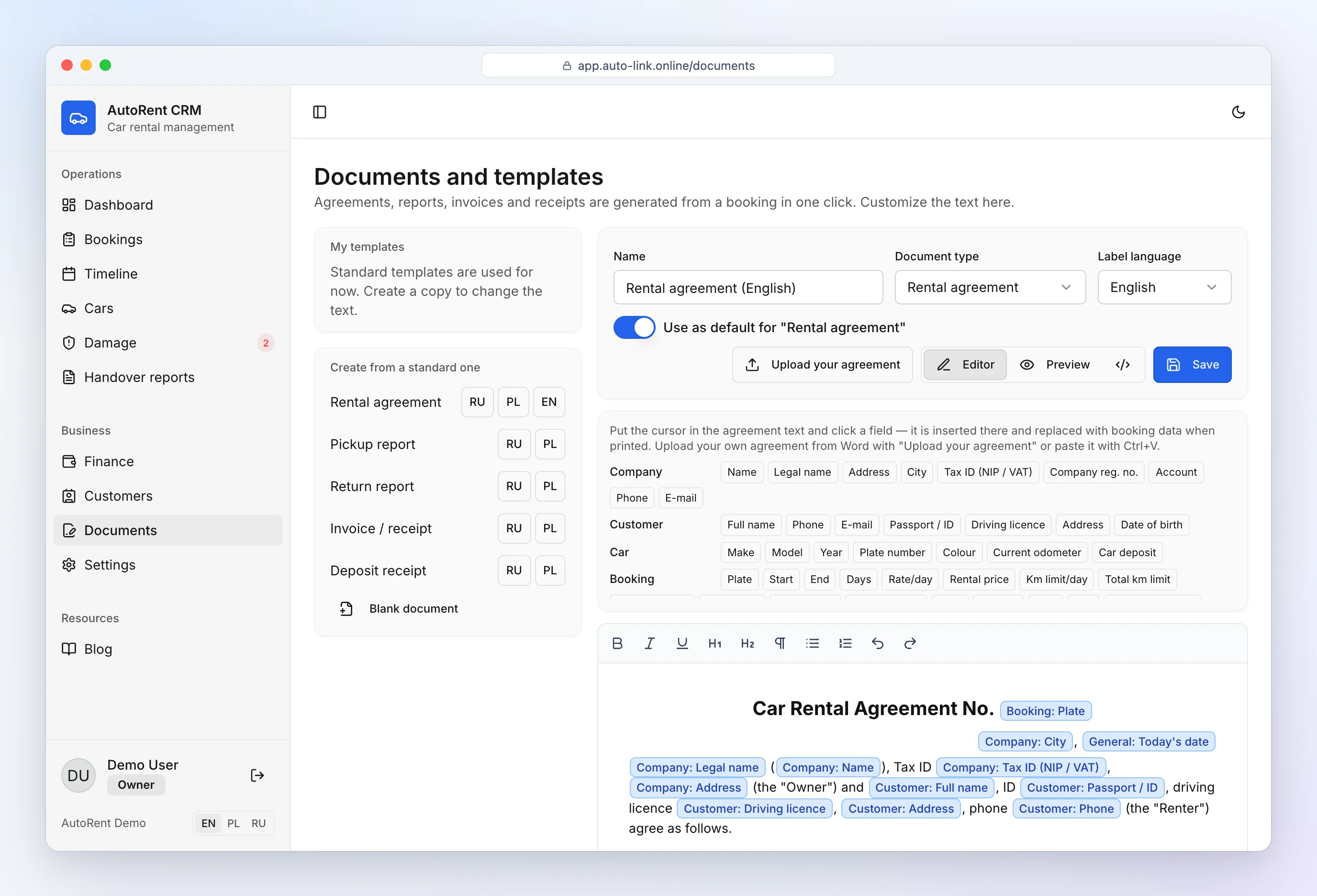
Need a plain template first? Download our free car rental agreement template.
See also: car rental software and pricing.
Frequently asked questions
Can I use my own agreement template?
Yes. Paste your own text in the template editor and insert fields (customer, car, amounts, dates) that the CRM fills in from the booking.
Can customers sign on a phone?
Not yet — today you print the document or send it as a PDF. On-screen signing is in preparation.