Best Car Rental Software in 2026: Comparison for Small Rental Businesses
Facts from the vendors' own websites — prices, trials and key features — so you can choose the best car rental software for a fleet of 3 to 50 cars. No rankings, no bashing.
How to choose: 7 criteria
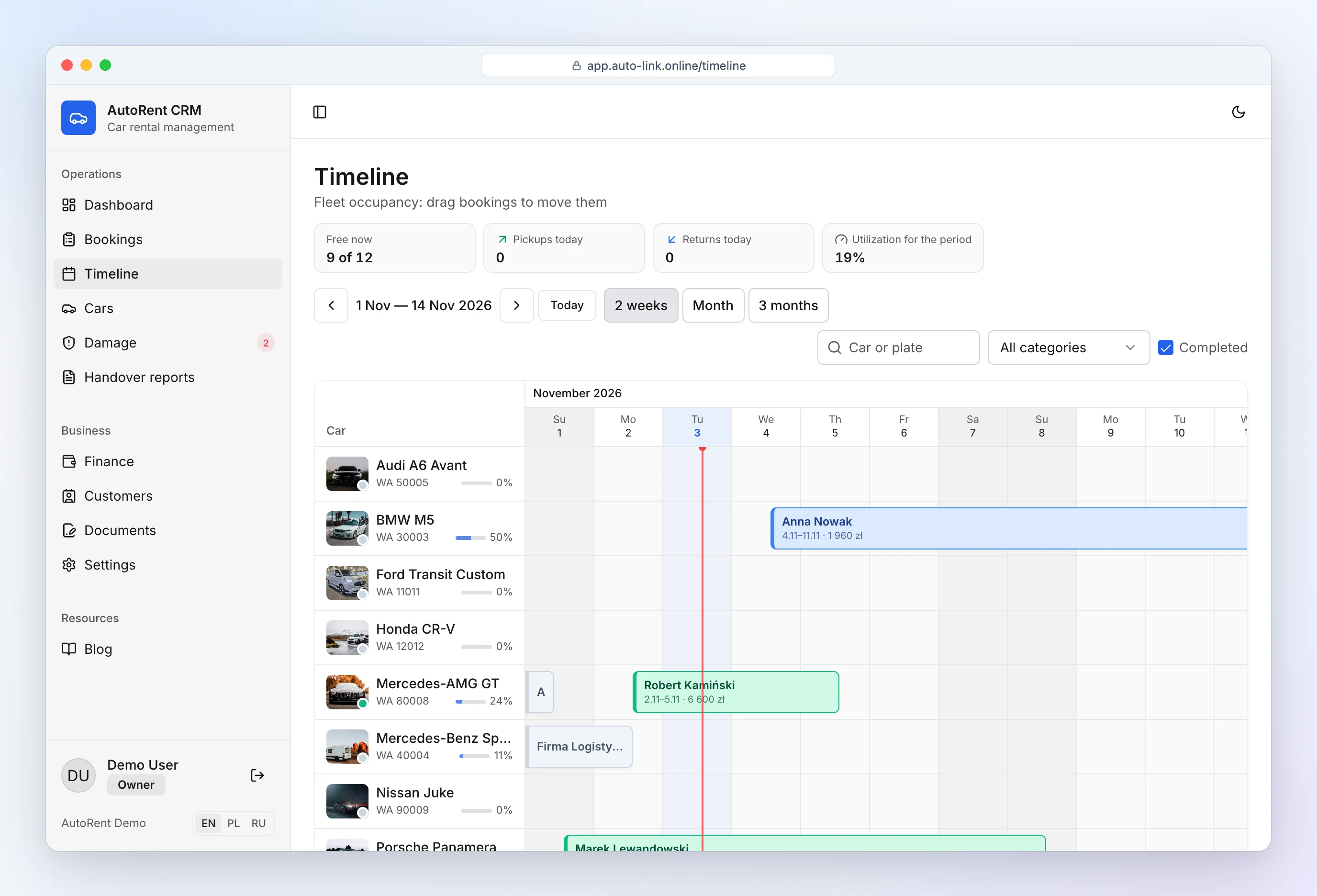
- Booking calendar — all cars on one timeline, double bookings blocked. This is the core of any car rental reservation software.
- Documents — agreements and inspection reports filled in from the booking.
- Damage and photos — attached to the car and booking, with history.
- Deposits and finance — deposits held, refunds, debts, profit per car.
- Transparent price — public pricing, per-car fees, setup fees.
- Mobile — inspections happen in a parking lot, not at a desk.
- Language, currency and support — interface, documents and currency for your market.
Comparison table (features, prices, regions)
Data from the vendors' official websites, November 2026. Prices change — check before you buy.
| Software | Price from | Trial | Main market | Highlights (per vendor) |
|---|---|---|---|---|
| AutoRent CRM | €0, unlimited cars | free plan, no time limit | Poland / EU, any currency | drag-and-drop calendar, agreements and inspections in 1 click, damage diagram, deposits, off-rental mileage, Telegram bot |
| HQ Rental Software | $120 / month (10 vehicles) + $550 one-time | 7 days | global | full-featured system for growing fleets, multiple branches |
| TopRentApp | €99–119 / month (10 vehicles) | 15 days; free plan with fee per confirmed booking | Europe | mobile app, digital signature, offline mode |
| Renthelp | 99 PLN (~€23) net / month for up to 5 cars | 14 days | Poland | SMS contract authorization, online payments, damage grids |
| RentCarSoft | quote on request | — | Poland | driver app, contract and protocol generation |
Car rental software companies differ mostly in pricing model and market; this car rental software comparison only lists facts from their sites. Each system has strengths: paid tools today offer online payments and e-signatures that AutoRent CRM does not have yet. Our advantage is a free start with unlimited cars and features built for small rental businesses. Looking for a Rent Centric alternative or an HQ Rental Software alternative for a small fleet? Compare total monthly cost at your fleet size, including setup fees.
Cloud vs desktop
Desktop programs installed on one PC are rare today. Cloud (browser) software runs on your phone at pickup, needs no server or installation, lets several people work on the same data and updates itself. The trade-off is that you need internet — finish the inspection outside if your garage has no signal.
Migration from another system
- Export cars, customers and future bookings from your current system (usually CSV/Excel).
- In AutoRent CRM, cars and bookings are added manually today — typically under an hour for a small fleet; file import is in preparation.
- Run both systems in parallel for a week, then switch.
- Keep past agreements as PDFs from the old system.
Our take
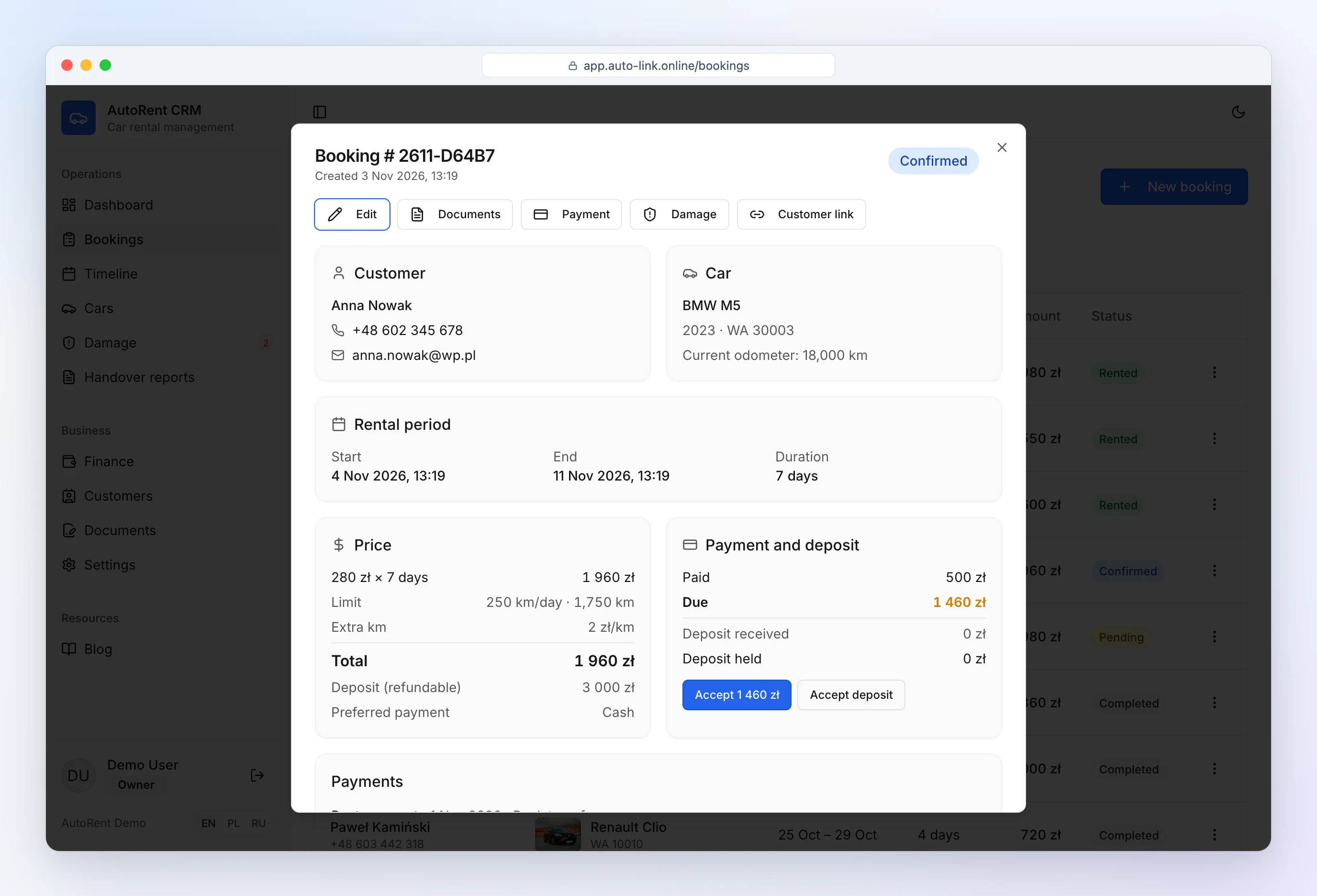
AutoRent CRM is car rental software for owners who want to leave spreadsheets without fees or long onboarding. Sign up, add cars, and on day one you have a calendar, agreements, inspection reports, deposits and finance.
More: car rental software free and car rental software pricing.
Frequently asked questions
Which software is best for a small rental?
One with public pricing, a booking calendar, documents generated from bookings and a mobile-friendly interface. For up to ~20 cars, start with a free plan and test it on your own data before paying.
Can I migrate my data?
Yes — export from your current system and add cars, customers and future bookings; for a small fleet this takes under an hour. File import into AutoRent CRM is in preparation.