Fleet Management for Car Rental Companies
Fleet tools are built for company cars. A rental fleet earns money on bookings — so here every car has a profile, a calendar, costs and profit.
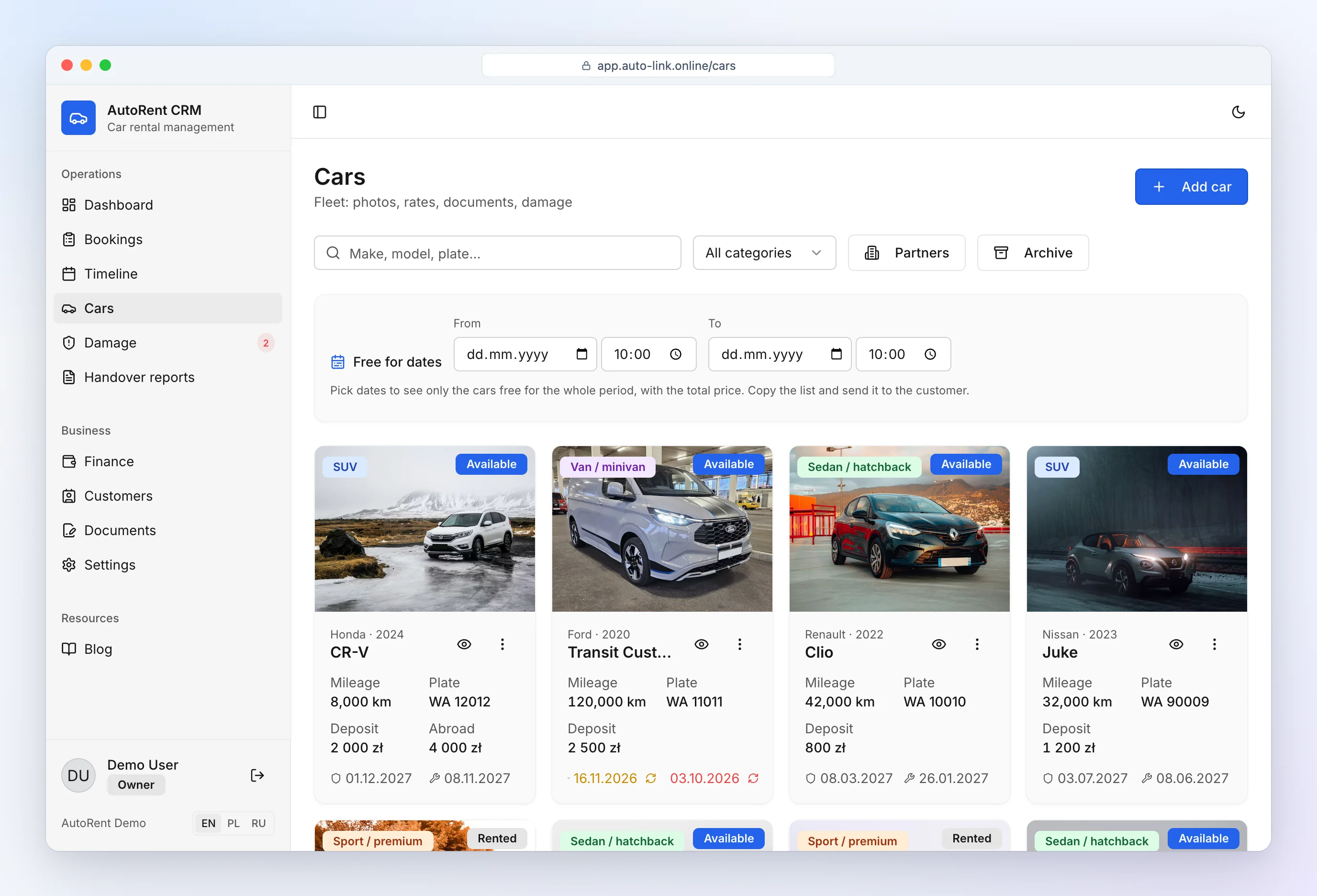
Every car: mileage, service, insurance
Rental fleet management starts with a complete car profile:
- photos, plate, colour, category,
- current odometer with history from inspection reports,
- insurance and inspection expiry dates,
- deposit (including a higher cross-border deposit) and rates by rental length,
- bookings, damage and expenses for this car.
Service and insurance reminders
Vehicle maintenance tracking — rental edition: the CRM reminds you 30, 7 and 1 day before insurance or inspection expires — on the dashboard and in Telegram — so no customer leaves with an uninsured car.
An expiring date is highlighted on the car card with a small "Renew" button next to it. Enter the new expiry date and attach the new policy or inspection certificate (PDF or photo). The file is stored in the car's documents — together with the registration certificate and other papers, always one tap away on the car card when you need them at a roadside check or after an accident.
Mileage between rentals
A feature you rarely see in fleet management for car rental: the CRM compares the odometer at return with the odometer at the next pickup. If a car "drove" 70 km with no customer, you see it immediately and record why (relocation, service, car wash) — or ask who drove it.
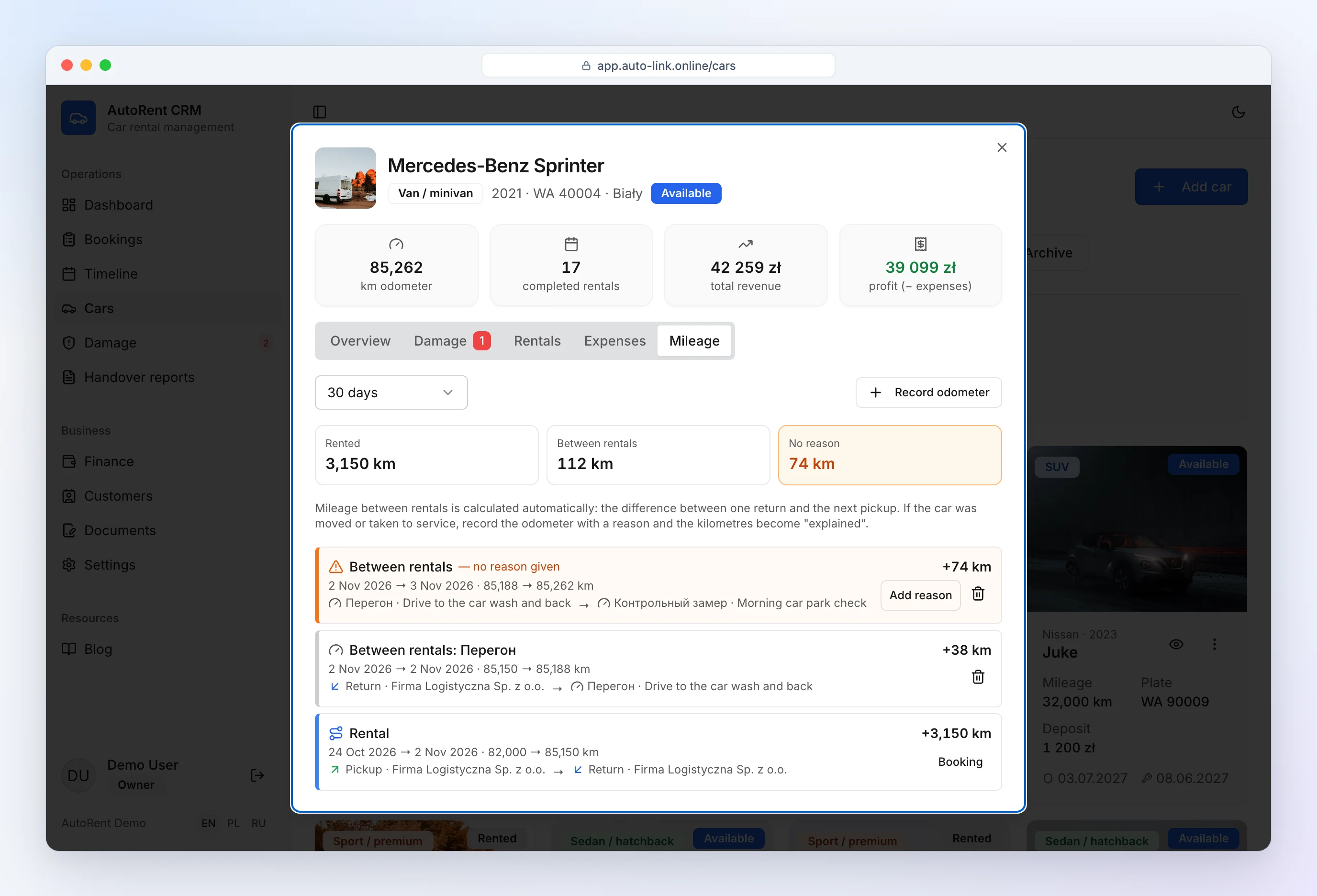
Profit per car
Booking income minus expenses (service, tyres, insurance, leasing) — per car, with utilization. You know which car earns and which to sell.
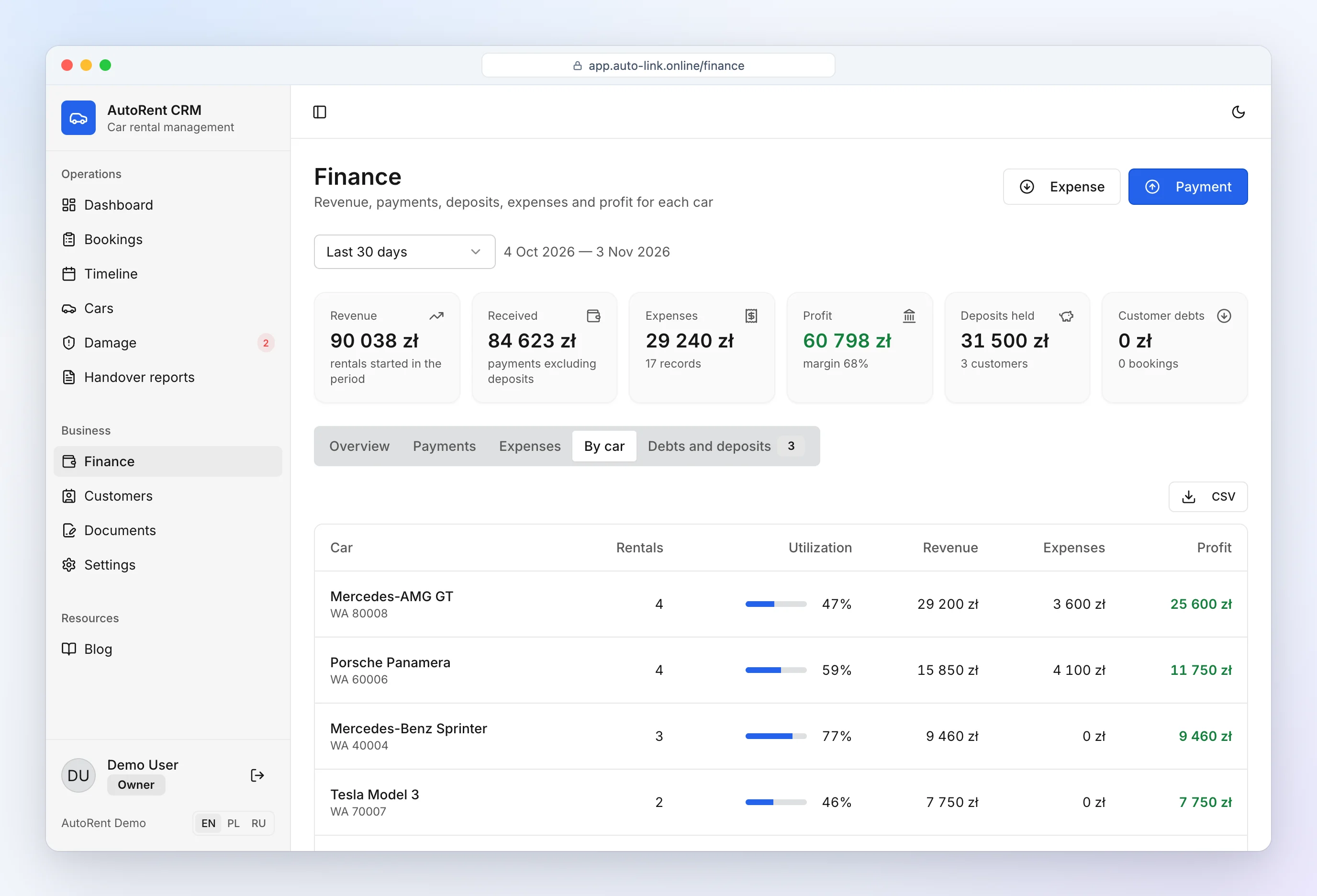
Import from Excel
Today cars are added manually — about a minute per car. File import is in preparation. With 2–3 cars you can start in our free fleet management spreadsheet.
Overview: car rental software.
Frequently asked questions
How many cars can I add?
Unlimited, including on the free plan.