Car Rental CRM: Customers, Bookings and Deposits in One Place
A car rental CRM remembers every customer, booking and deposit for you — who rented what, who still owes money, who should never get a car again.
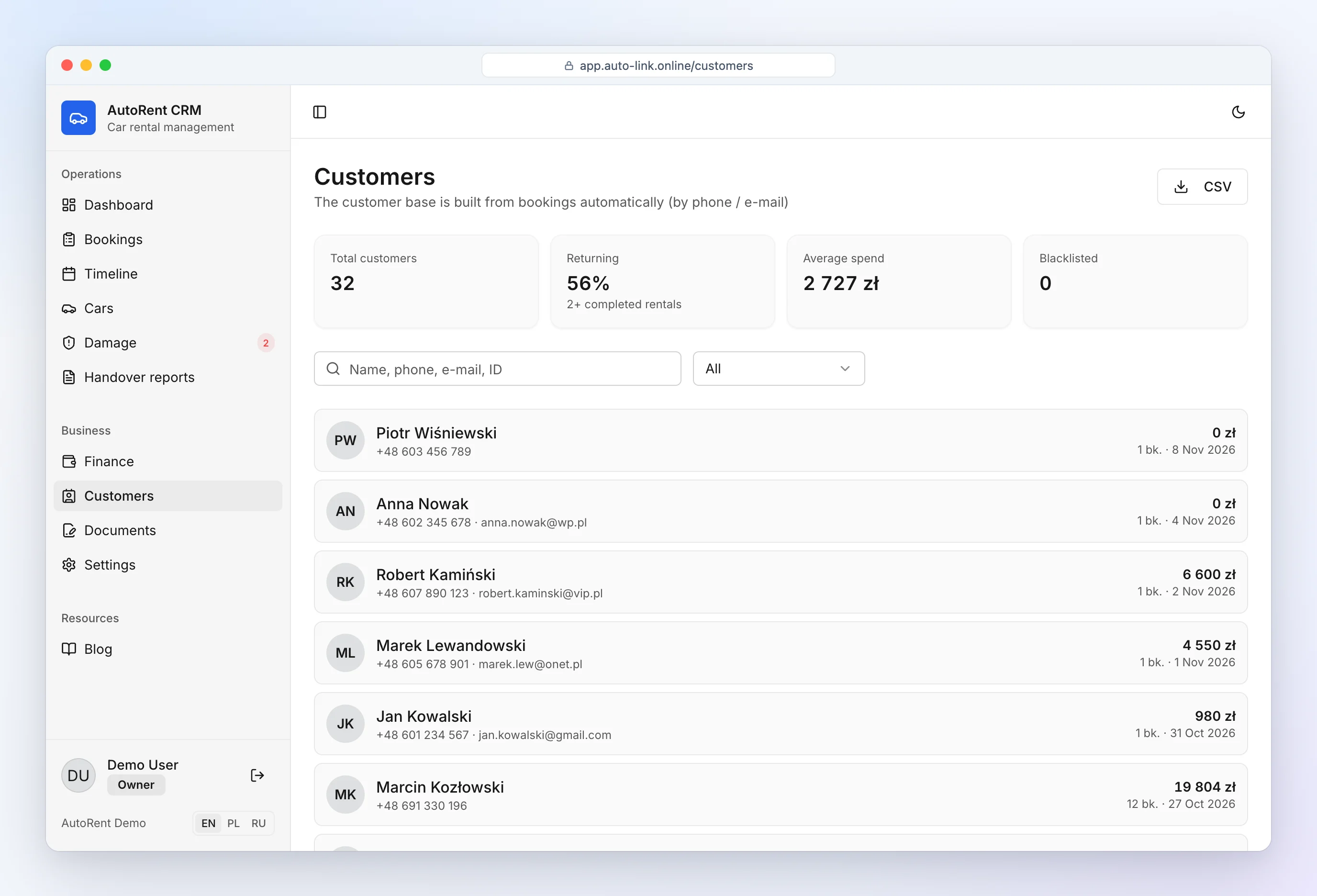
What a car rental CRM does
Generic CRMs are built for sales pipelines. A CRM for car rental business owners is built around cars and dates: who has which car, when it comes back, how much was paid and how much deposit is held. AutoRent CRM combines:
- customer profiles built automatically from bookings,
- bookings on a timeline with double-booking protection,
- deposits, payments and debts per booking (car rental accounting software),
- agreements and inspection reports generated from the booking,
- reminders on the dashboard and in Telegram.
Customer profiles, history and blacklist
Car rental customer management happens automatically: customers are matched by phone number or e-mail across bookings, so you see the full history, total spent and any open debt without entering anyone twice.
- Mark regular customers as VIP and add notes.
- Keep car rental blacklist customers in one list — when you type a blacklisted phone into a new booking, the CRM warns you before you hand over a car.
- Returning customers: document and licence details are filled in from the previous booking.
Bookings and reminders
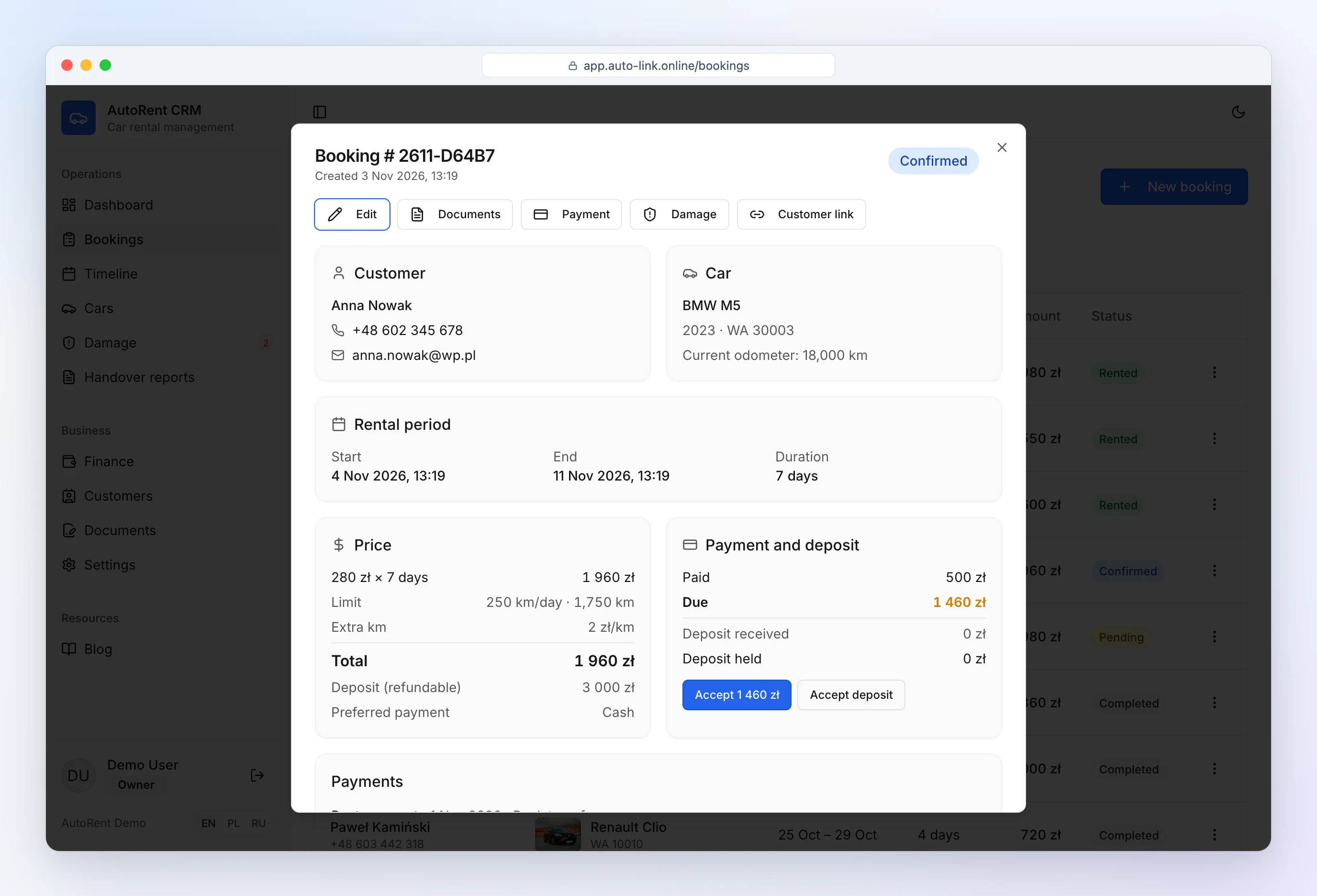
Every booking shows the customer, car, dates, price, mileage allowance and deposit. The dashboard lists today's pickups and returns, late returns and missed pickups. With Telegram notifications you also get a reminder 2 hours before each pickup and return.
Deposits and payments
Payments are attached to bookings: rent, excess mileage, fuel, damage, fines. Deposits are tracked separately — received, refunded, withheld — so you always know whose deposits you are holding and which ones are due back. The CRM never lets you refund or withhold more than was received.
CRM vs spreadsheet
| Spreadsheet | Rental car CRM software | |
|---|---|---|
| Customer history | search through tabs | one profile per customer |
| Blacklist | someone remembers | warning when booking |
| Deposits held | separate sheet | per booking, with due list |
| Reminders | none | dashboard and Telegram |
| Documents | copy-paste | generated in one click |
See also: car rental software and car rental software pricing.
Frequently asked questions
Do I need a CRM for 5 cars?
With 5 cars you already handle several bookings a week, deposits and repeat customers. A free CRM removes double bookings and lost deposits from day one — and costs nothing to try.
Can I keep a customer blacklist?
Yes. Mark a customer as blacklisted with a note; the CRM warns you as soon as their phone number is entered in a new booking.