Damage Documentation with Photos
Every scratch and dent marked on the car diagram, with a photo, date, customer and amount. In a dispute you have evidence, not memories.
Damage at a rental company is more than a photo. It's also: who is responsible, what the repair actually cost, whether the customer paid and whether the insurer refunded anything. AutoRent CRM keeps that whole story in one place — from the pickup report to the last payment.
Photos at pick-up and return
Rental car damage photos are taken with the phone in the pickup and return report. The CRM compresses them before upload, so it works on a weak connection in a car park. Photos stay with the report and the booking, together with the odometer and fuel level.
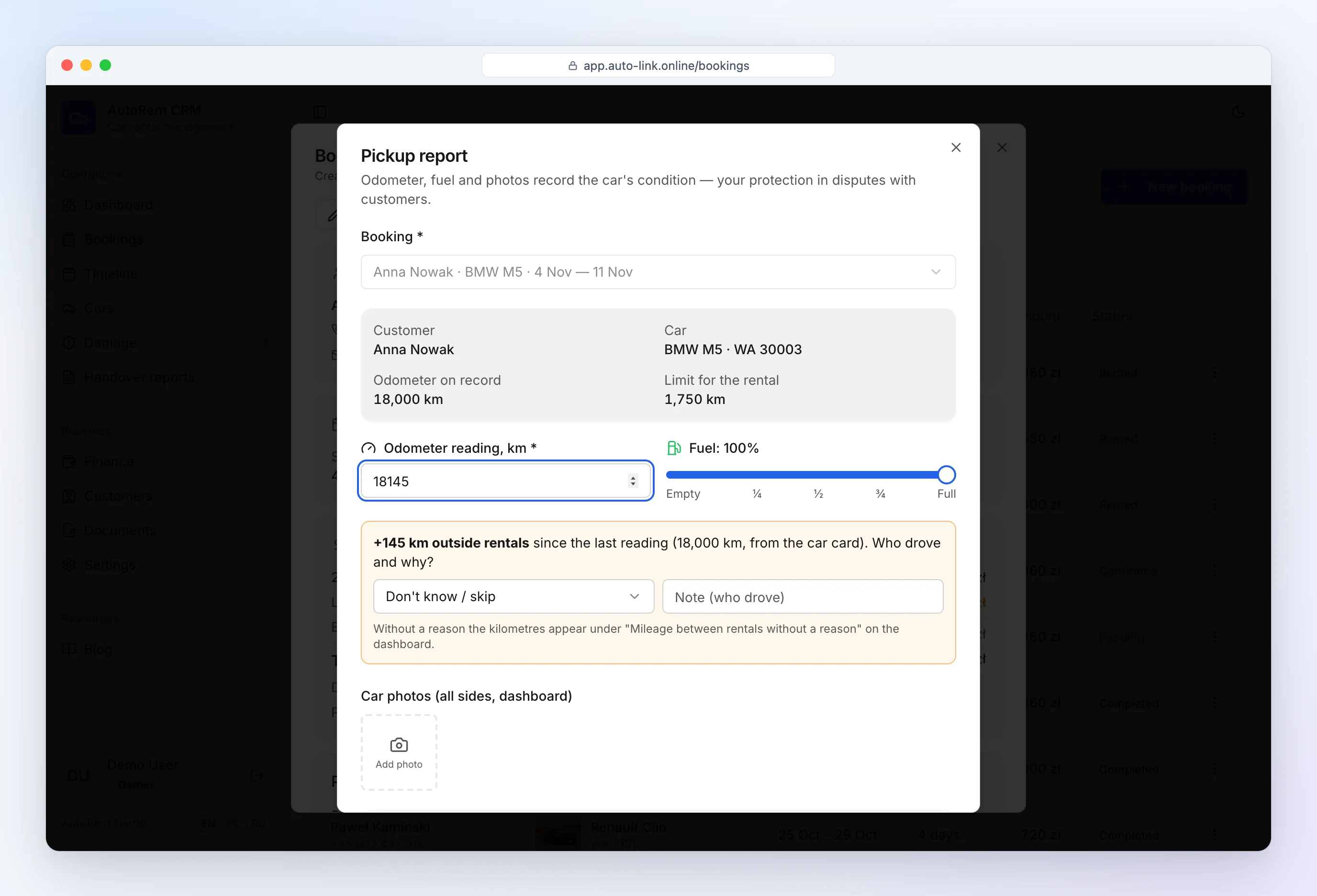
At pickup you record the "before" condition, at return the "after". If a new scratch appears, the comparison takes a second — and the customer sees exactly what you see.
Damage map
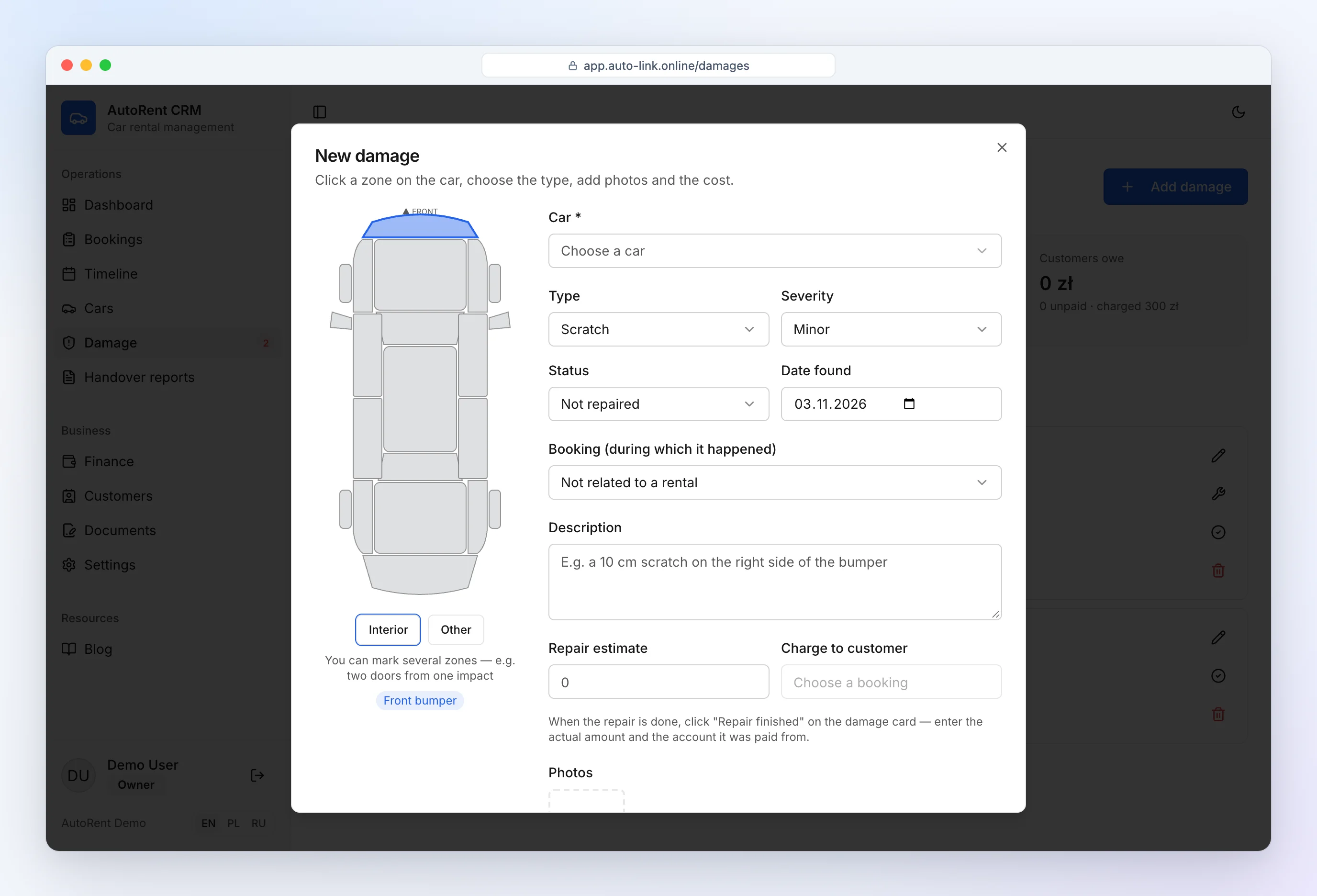
Click a zone on the diagram (bumpers, doors, wings, each wheel separately, glass, mirrors, interior), choose the type (scratch, dent, chip, crack) and severity. Damage found at pickup is not charged to the customer; new damage at return is.
If a customer scraped a pillar and damaged two doors and a wing, you select several parts in one record — one incident, one charge and one repair cost, with every affected zone highlighted on the diagram.
Damage history
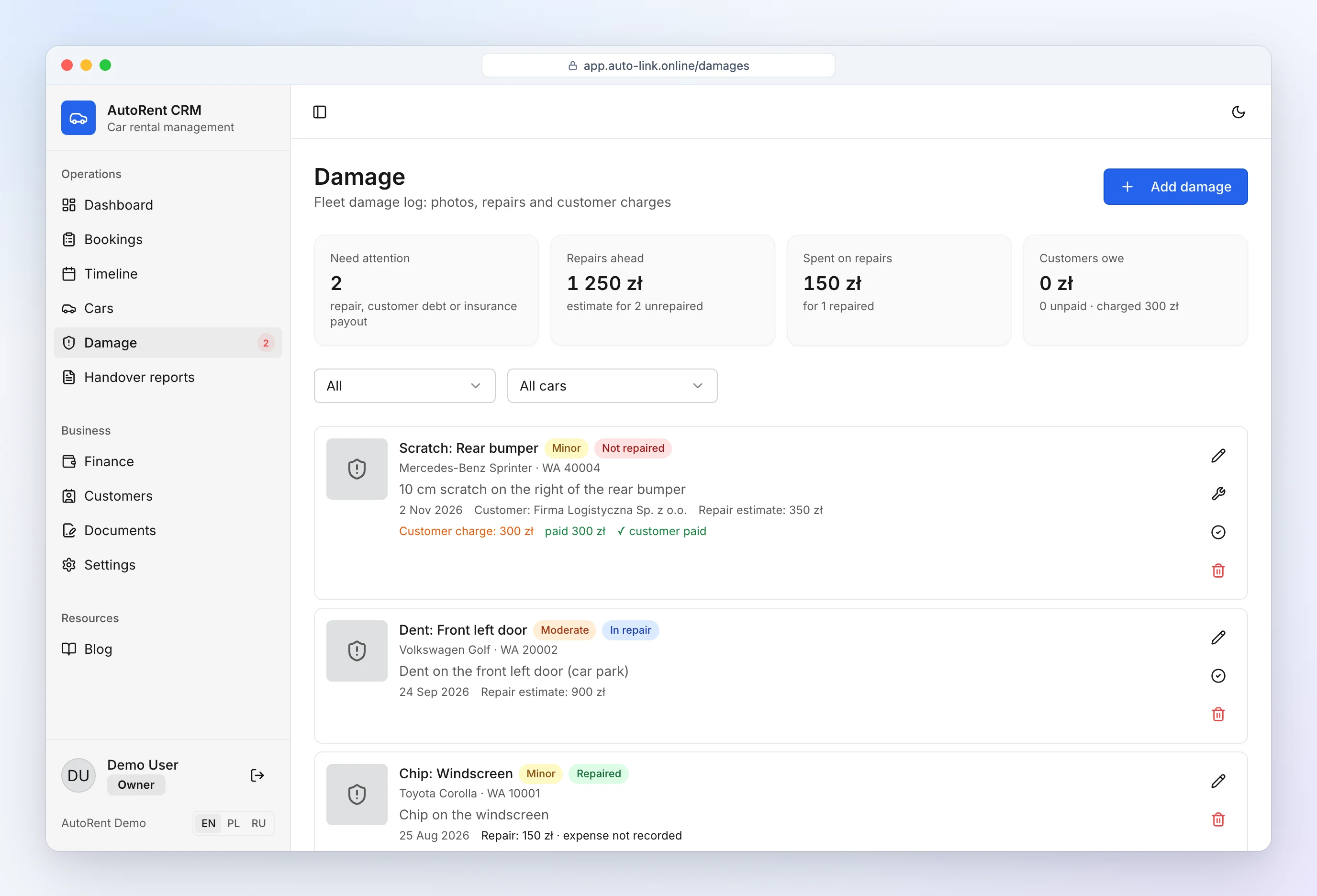
The damage log shows what awaits repair, what is in repair, what repairs cost and what customers still owe — a vehicle damage report app with a full history per car. The diagram on the car card shows where open damage is at a glance.
A damage record stays under "needs attention" until it is repaired, paid by the customer and — if expected — paid out by the insurer. Nothing gets lost just because the car is back from the body shop.
Repair: actual cost and account
A repair isn't closed with one click. When you mark "Repair finished" you enter:
- what you actually paid (the original estimate is suggested),
- which account paid — cash desk, bank account or card terminal,
- the date and a note, e.g. the body shop's name.
The amount is booked as a "Repair" expense of that car and reduces the account balance. If the insurer or warranty paid the shop directly, enter 0 — no expense is created.
When the insurer pays later
A common case: the car has to earn money, so you repair it right away with your own money, and the insurance payout arrives weeks later. In the repair form you enter the amount you expect from the insurer. When it arrives, click "Insurer paid" on the damage card and choose the account — the payment appears in finance as income for that car.
Deposit deductions
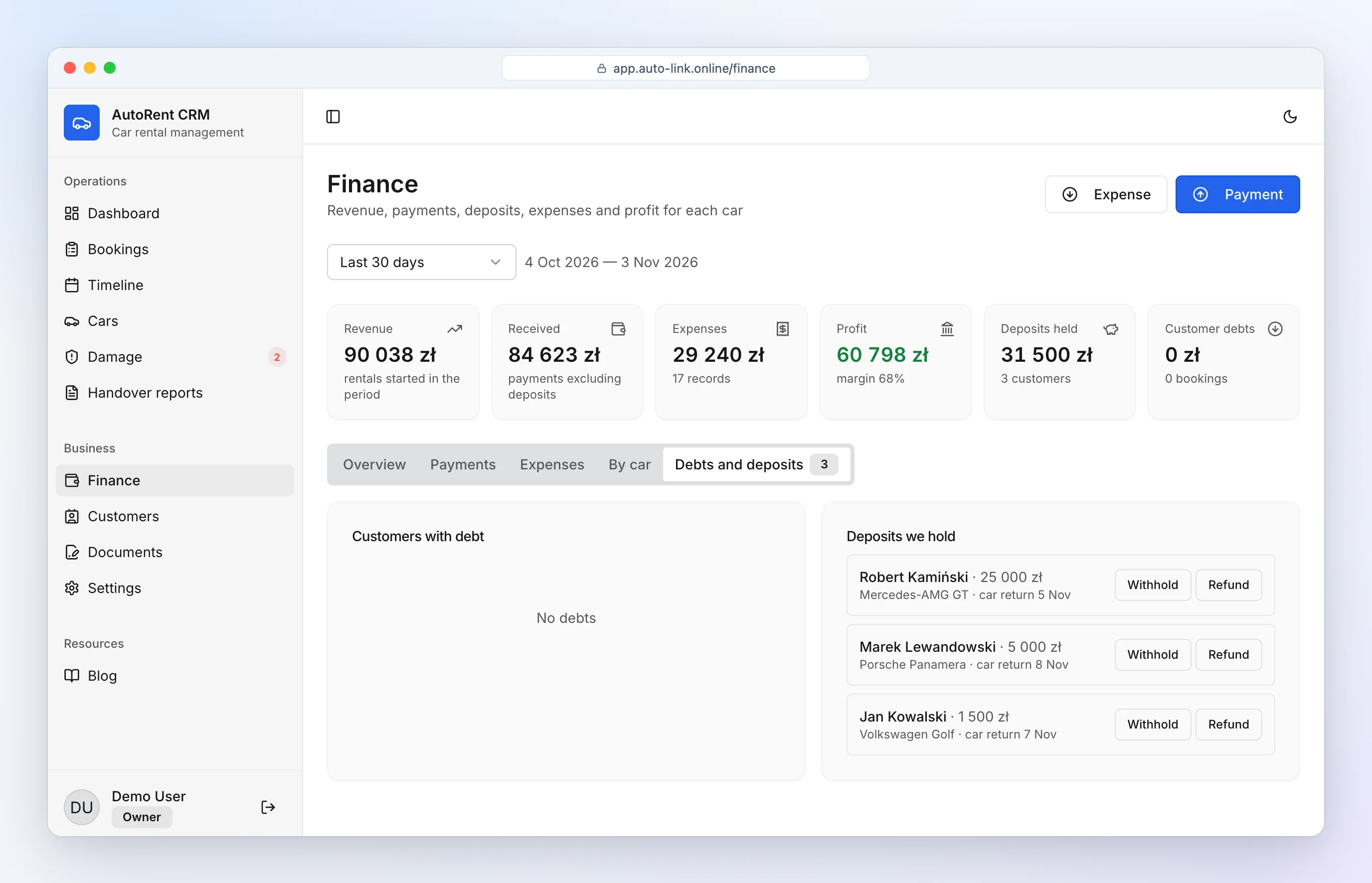
The amount charged to the customer goes straight into the booking balance. The damage card shows how much the customer has paid and how much is left. "Accept payment" opens a payment with the amount and a clear note already filled in: damage type, parts, car with plate number and customer. You can also withhold part of the deposit — the CRM never lets you withhold more than was received.
How to run a proper inspection: rental car inspection checklist.
How it works in practice
- Return: in the report you mark a new scratch on a door and a wing and add photos.
- You enter the repair estimate and the amount charged to the customer — it goes onto the booking.
- The customer pays by card, or part of the deposit is withheld.
- After the repair you enter the actual cost and the account it was paid from.
- If the insurer covers it, you record the payout when it arrives.
See also: car rental agreement software and car rental software.
Frequently asked questions
Are photos time-stamped?
Each photo is stored in the inspection report or damage record with the date and time of the record and the booking number. Original photo metadata (EXIF) is not displayed.
Can I mark several damaged parts at once?
Yes. One incident (e.g. two scratched doors and a wing) is one record with several zones — one charge to the customer and one repair cost.
What if the insurer covers the damage?
If the insurer pays the body shop directly, enter a repair cost of 0. If you repair it yourself and the payout comes later, enter the expected amount and record the payment when it arrives.
Where do I see who hasn't paid for damage yet?
In the damage log: the "Customer hasn't paid" filter and the "Customers owe" tile list every unpaid amount, including cars that are already repaired.
Is the damage charge added to the booking?
Yes. The amount the customer pays is added to the booking straight away and shows up in the customer's debts.